
The dashboard
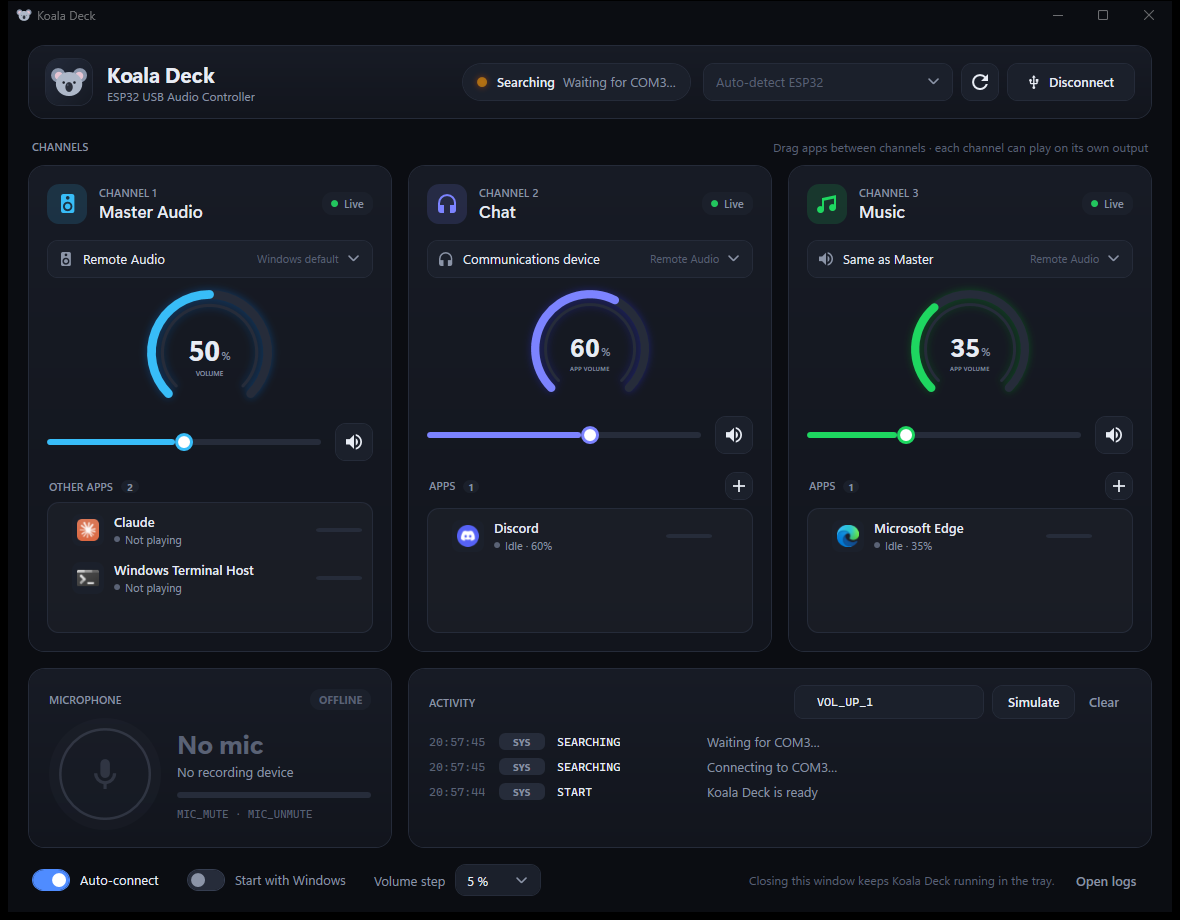
Three channels, one mic, live levels
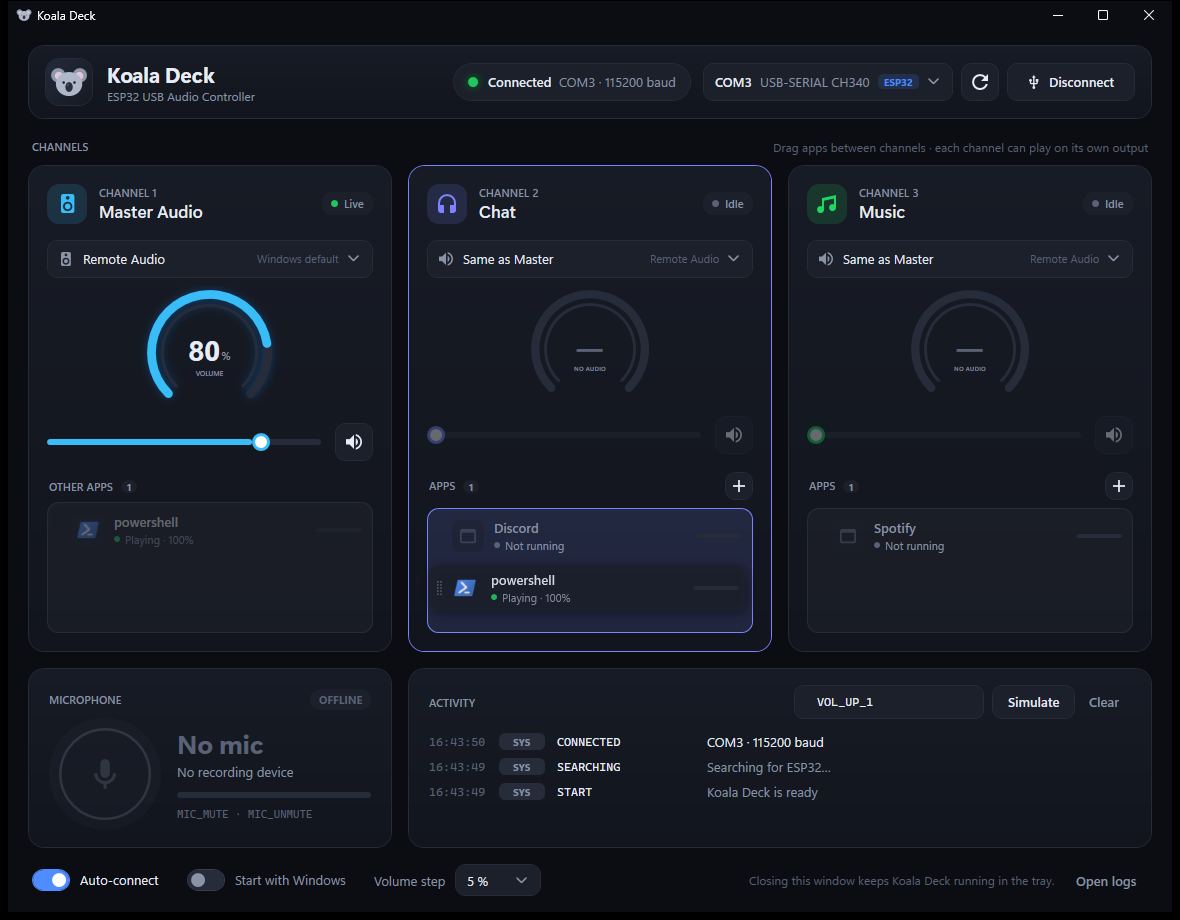
See each channel's volume, output, apps and live levels.
How it works
Plain text over USB, both ways
The deck's display never drifts: Koala Deck applies each command and replies with the real Windows state.
VOL_UP_2            → Chat volume up one step
MIC_TOGGLE          → mute or unmute the microphone
SYNC:12,50,80,0,0,0,1   ← the real Windows state, back to the deck
One command per line. After each command, on request, or when Windows volume changes, a SYNC: line reports exact values. Full protocol in the README.
What it does
More than a volume knob
Group apps into channels, route each to its own device, and keep the deck in sync.
Three channels
Master, Chat and Music, one knob each plus mute. Chat starts with Discord.
Drag-and-drop app groups
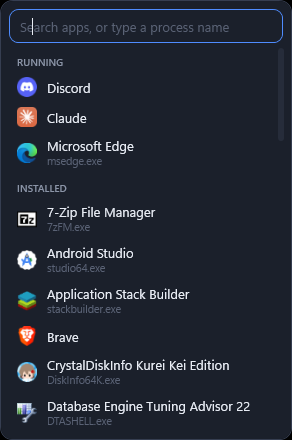
Drag apps between channels or pick from a searchable list. Closed apps keep their group.
An output per channel
Chat to your headset, Music to your speakers, even for apps opened later. Chat can follow Windows' communications device.
Microphone mute that sticks
Mutes both the default mic and the communications mic that Discord or Teams usually uses.
Two-way sync
Change volume with the mouse, keyboard or Volume mixer, and the deck's display follows.
Plug in and forget
Finds your ESP32 automatically. Replug the cable, even on a new COM port, and it reconnects.
Simulator built in
No hardware yet? Type commands like VOL_UP_2 in the Activity panel and see the result and SYNC reply.
Getting started
From download to first knob turn
- Download from GitHub ReleasesPick the installer (recommended) or portable exe. Neither needs .NET installed.
- Get past SmartScreenThe files aren't code-signed yet, so SmartScreen may warn you. Click More info, then Run anyway.
- Plug in your deckKoala Deck finds the ESP32's COM port and connects; the tray koala turns green.
- Put apps in channelsDrag apps into Chat and Music, pick outputs, and optionally turn on Start with Windows.
At a glance
The details
| Platform | Windows 10 (1809 or later) or Windows 11, 64-bit |
| Downloads | Installer (~50 MB, per-user, no admin rights) or portable exe (~67 MB) |
| Hardware | ESP32 board, USB serial at 115200 baud: Espressif native USB, CP210x, CH340/CH9102 or FTDI |
| Built with | C# · .NET 10 · WPF · NAudio |
| Account | None |
| Your settings | A JSON file in your AppData folder |
| Source | github.com/sambanf/koaladeck |
Questions
Frequently asked
Do I need to build the hardware myself?
Yes. Koala Deck is the PC side. Any ESP32 printing commands like VOL_UP_1 over USB serial works. See the README for commands and an Arduino example.
Can I try it without an ESP32?
Yes. Type commands into the Simulator box in the Activity panel; they work exactly like the deck's.
Why does Windows warn me?
The files aren't code-signed yet. Click More info, then Run anyway. SHA-256 hashes are on the release page.
My Chat or Music channel says "No audio".
That app hasn't opened an audio session yet (Spotify waits until it plays). Settings apply once it does.
Another program is using the COM port.
Close the Arduino IDE or PlatformIO serial monitor. Koala Deck connects once the port is free.
How do I update or uninstall?
Run the newer installer; it closes Koala Deck and keeps your settings. Uninstall via Apps & features; you can keep settings and logs.
Give your volume a knob
Free on GitHub. Download, plug in your deck, and stop hunting for the Volume mixer.